Enjoy SWAT Portal forum in different colors / themes
Just install the Stylus browser extension and use one of these themes to change the SWAT Portal forum colors.
All theme files are hosted here:
https://flathack.github.io/docs/swat-portal-themes.html
How to use
- Install Stylus for your browser.
- Open one of the UserStyle links below.
- Confirm the style in Stylus.
- Reload SWAT Portal.
Target page pattern: https://swat-portal.com/*
Available themes
Aurora
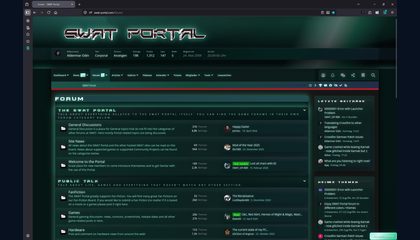
Green-blue premium theme with a bright atmospheric header glow.
Stylus import:
@import url("https://flathack.github.io/docs/swat-portal-themes/swat-aurora.css");Black
Dark monochrome premium theme with clean grey highlights.
Stylus import:
@import url("https://flathack.github.io/docs/swat-portal-themes/swat-black.css");BlackGold
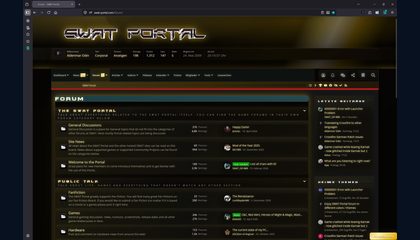
Dark premium theme with warm gold highlights.
Stylus import:
@import url("https://flathack.github.io/docs/swat-portal-themes/swat-blackgold.css");Blue
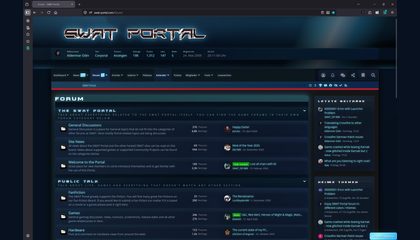
Cool blue premium conversion for the classic BlackOps style.
Stylus import:
@import url("https://flathack.github.io/docs/swat-portal-themes/swat-blue.css");DarkMatter
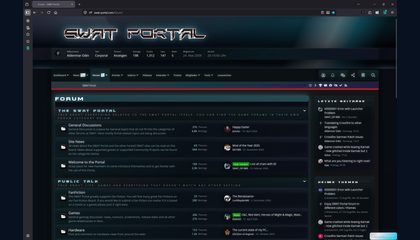
Premium dark interface treatment with extra contrast and polish.
Stylus import:
@import url("https://flathack.github.io/docs/swat-portal-themes/swat-darkmatter.css");Eclipse
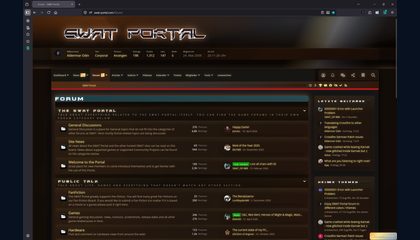
Warm dark premium theme with muted orange and brown accents.
Stylus import:
@import url("https://flathack.github.io/docs/swat-portal-themes/swat-eclipse.css");Freelancer
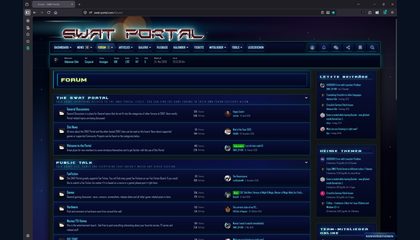
Freelancer-inspired blue space HUD treatment.
Stylus import:
@import url("https://flathack.github.io/docs/swat-portal-themes/swat-freelancer.css");Gold
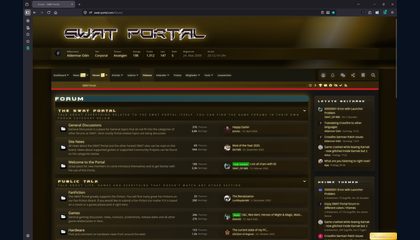
Warm gold recolor with metallic navigation and button accents.
Stylus import:
@import url("https://flathack.github.io/docs/swat-portal-themes/swat-gold.css");Green
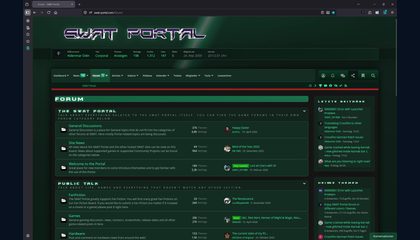
Green status-display feel with darker panels and clean highlights.
Stylus import:
@import url("https://flathack.github.io/docs/swat-portal-themes/swat-green.css");Nebula
Space-themed premium variant with deep cosmic tones.
Stylus import:
@import url("https://flathack.github.io/docs/swat-portal-themes/swat-nebula.css");Pride
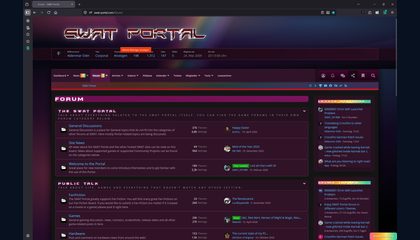
Colorful premium theme with rainbow-style accents.
Stylus import:
@import url("https://flathack.github.io/docs/swat-portal-themes/swat-pride.css");Red
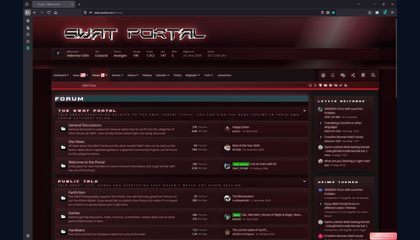
Sharper red premium variant for the BlackOps identity.
Stylus import:
@import url("https://flathack.github.io/docs/swat-portal-themes/swat-red.css");SuperNova
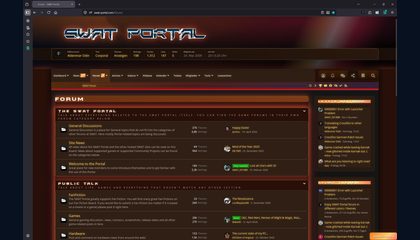
Warm high-energy premium theme with orange-red highlights.
Stylus import:
@import url("https://flathack.github.io/docs/swat-portal-themes/swat-supernova.css");Yellow
Bright yellow premium accents over dark forum panels.
Stylus import:
@import url("https://flathack.github.io/docs/swat-portal-themes/swat-yellow.css");Alternative
If you only want to keep your forum post short, link this overview page and tell users to install the theme they like: